fedora wallpaper

Final Fedora 45 Wallpaper Wrap Up!

A blog post accounting the full process for the final Fedora 45 wallpapers! 😱🤩✨

The final day F45 wallpaper at 96 dpi (However the actual wallpaper is 300 dpi)
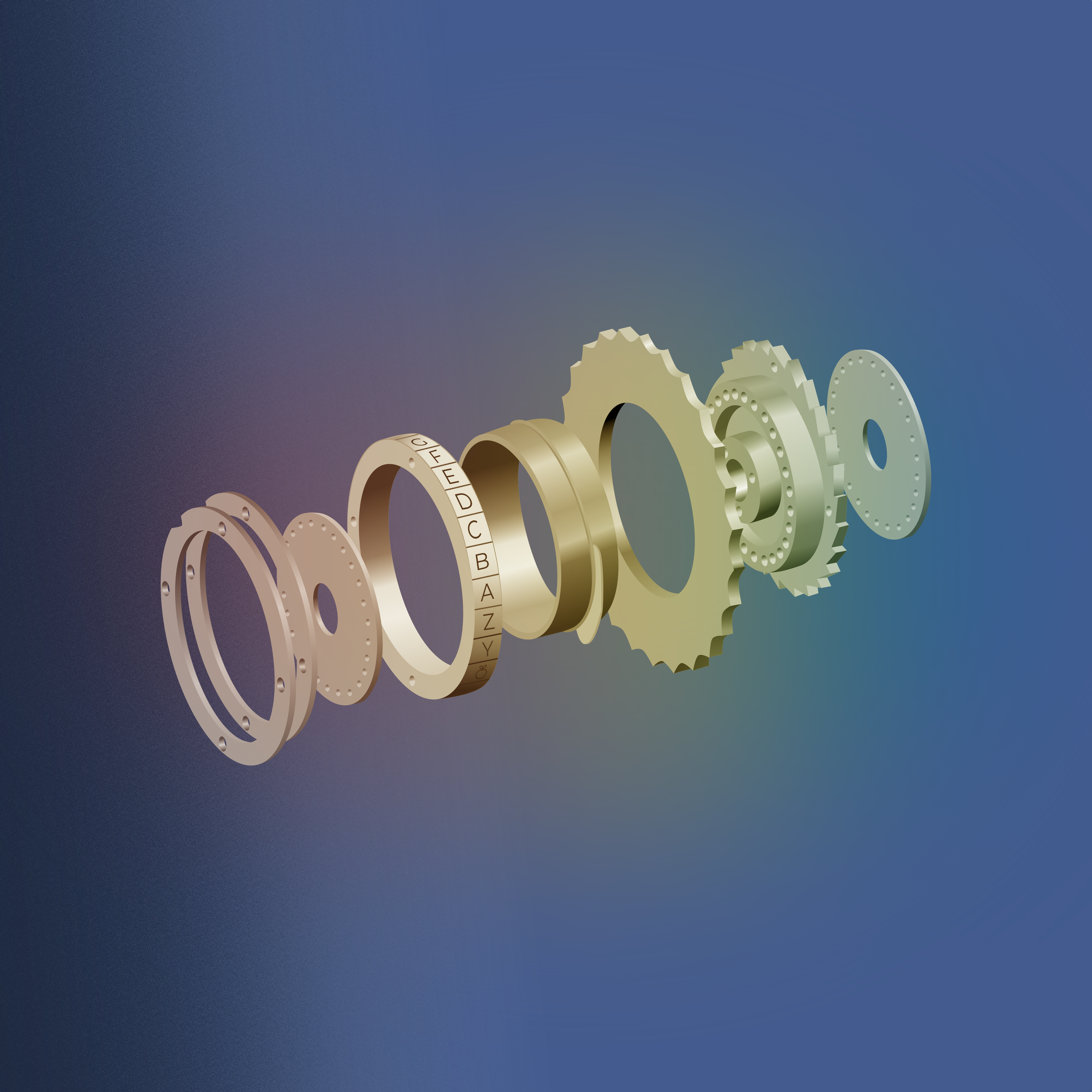
The final night F45 wallpaper at 96 dpi (However the actual wallpaper is 300 dpi)

If you’re not a blog post person, then you can always see the process documented on the F45 ticket here.

The first step involves a list of people or topics in STEM that the community can vote on. We chose among people whose last names start with T, since we’ve followed the alphabet for the past 18 wallpapers. The vote took place here on Fedora Discussions, resulting in our winner Alan Turing!

Alan Turing
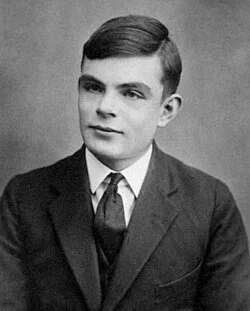
Alan Turing (June 23, 1912 – June 7, 1954) was an English mathematician, computer scientist, logician, cryptanalyst, philosopher, and theoretical biologist.

He was highly influential in the development of theoretical computer science, providing a formalization of the concepts of algorithm and computation.

Turing is widely considered to be the father of theoretical computer science.

He was prosecuted for being gay in the 1950’s two years before his death.

Mind Map

After Turing was elected as our inspiration, we held a mind-map brainstorming session delving into his career and exploring visuals for the final wallpaper.
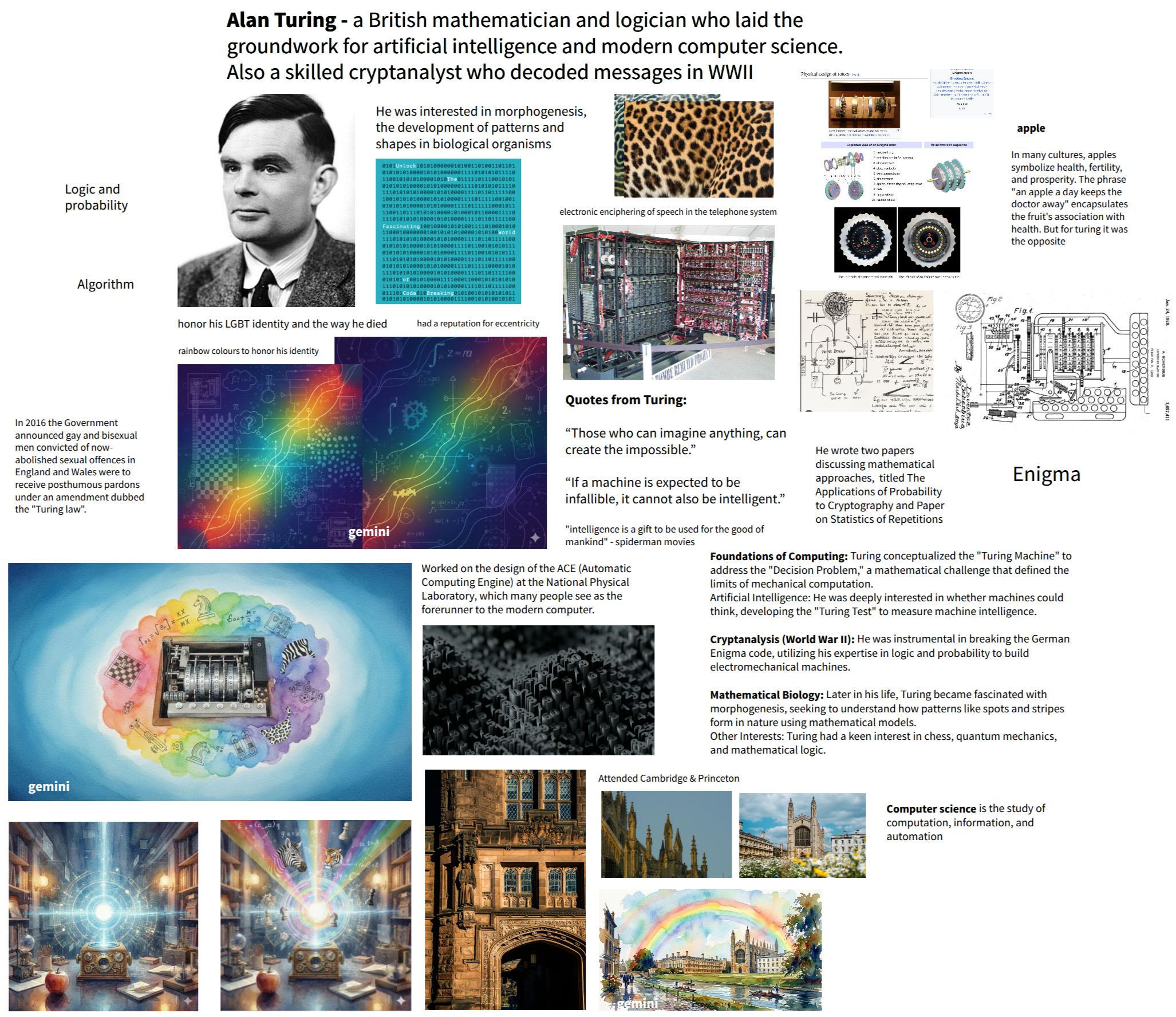
The mind map we created together in a design team meeting!

We explored three themes (you can read more in this blog post) including The “Enigma” Aesthetic, Morphogenesis (The Pattern of Life), and Light & Legacy.

References and Research

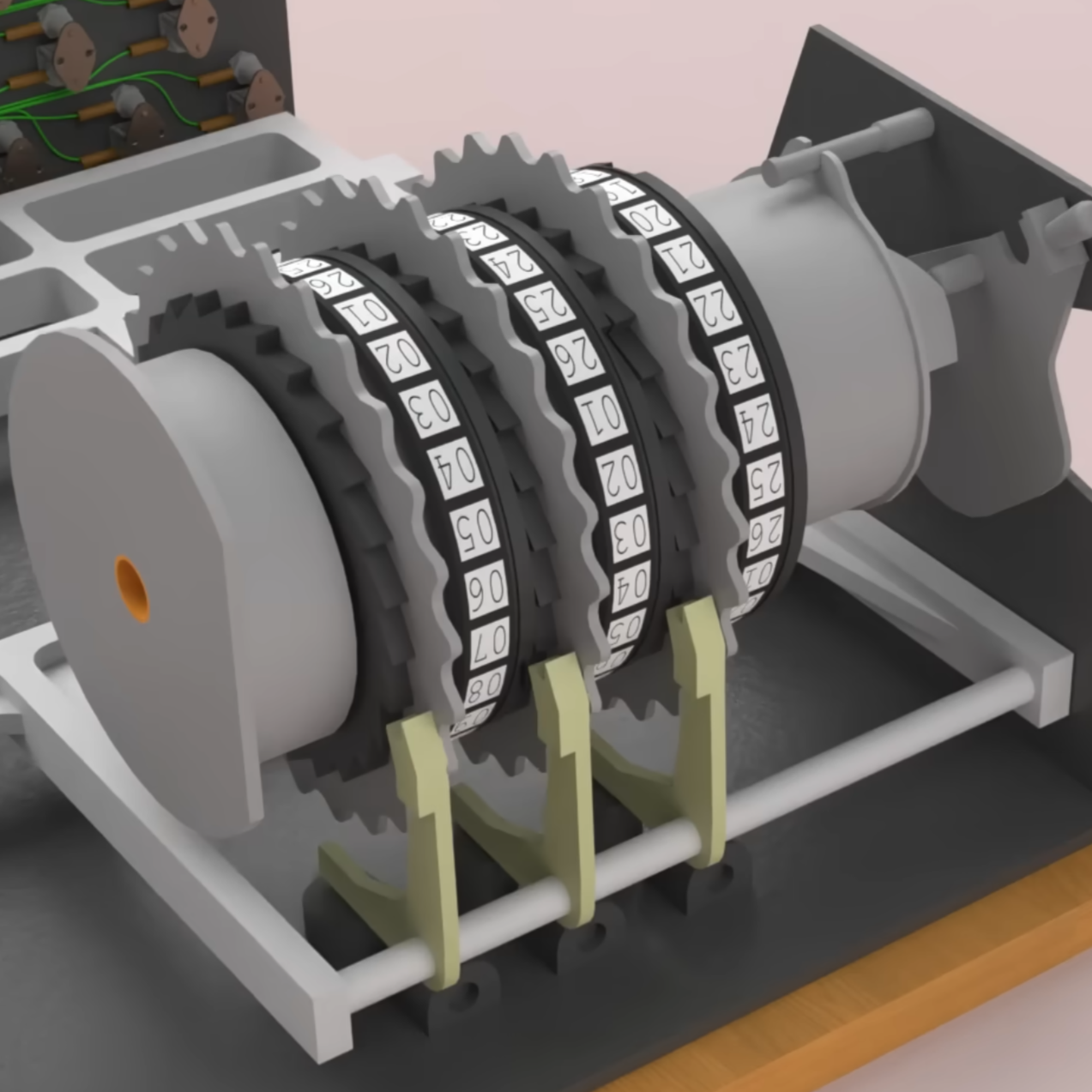
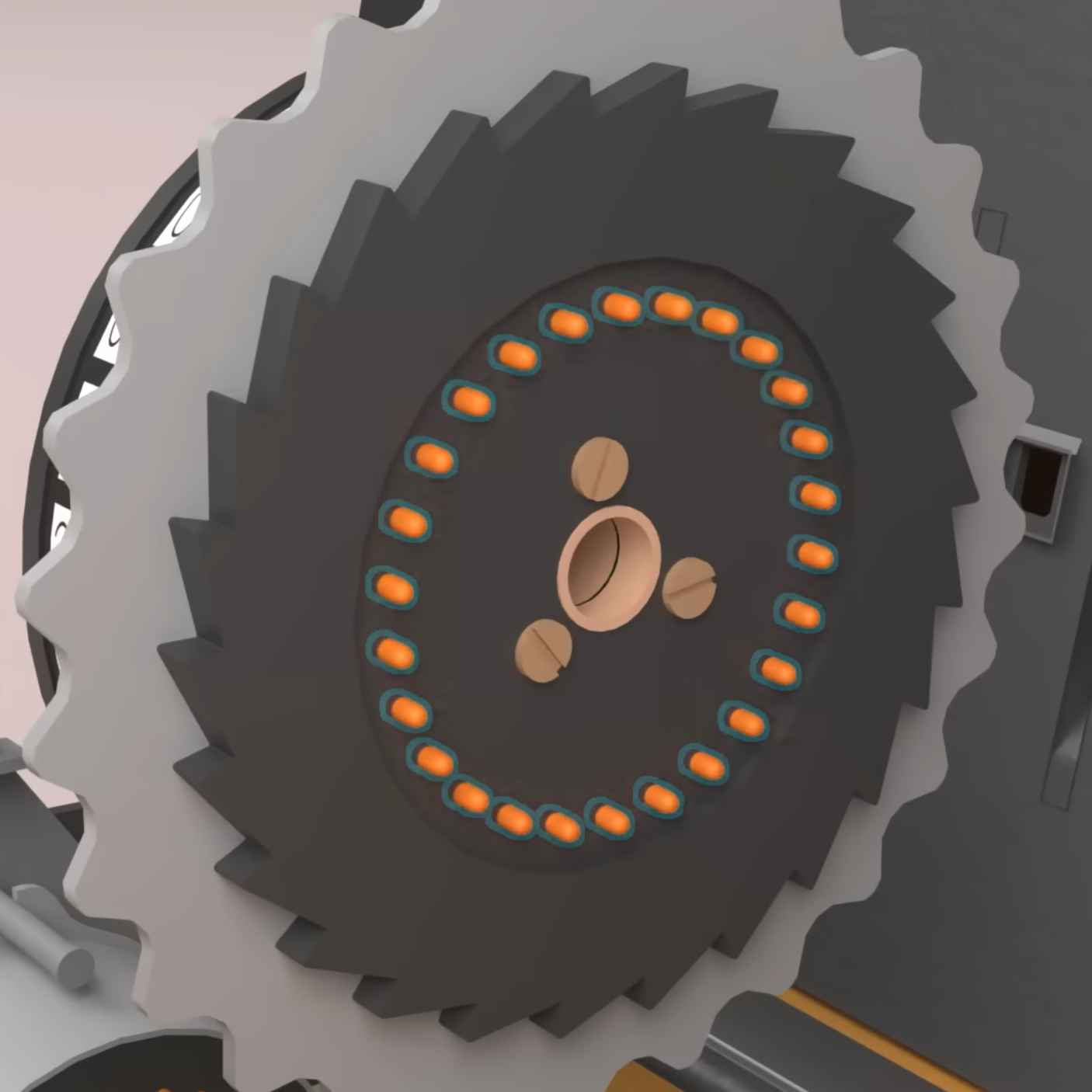
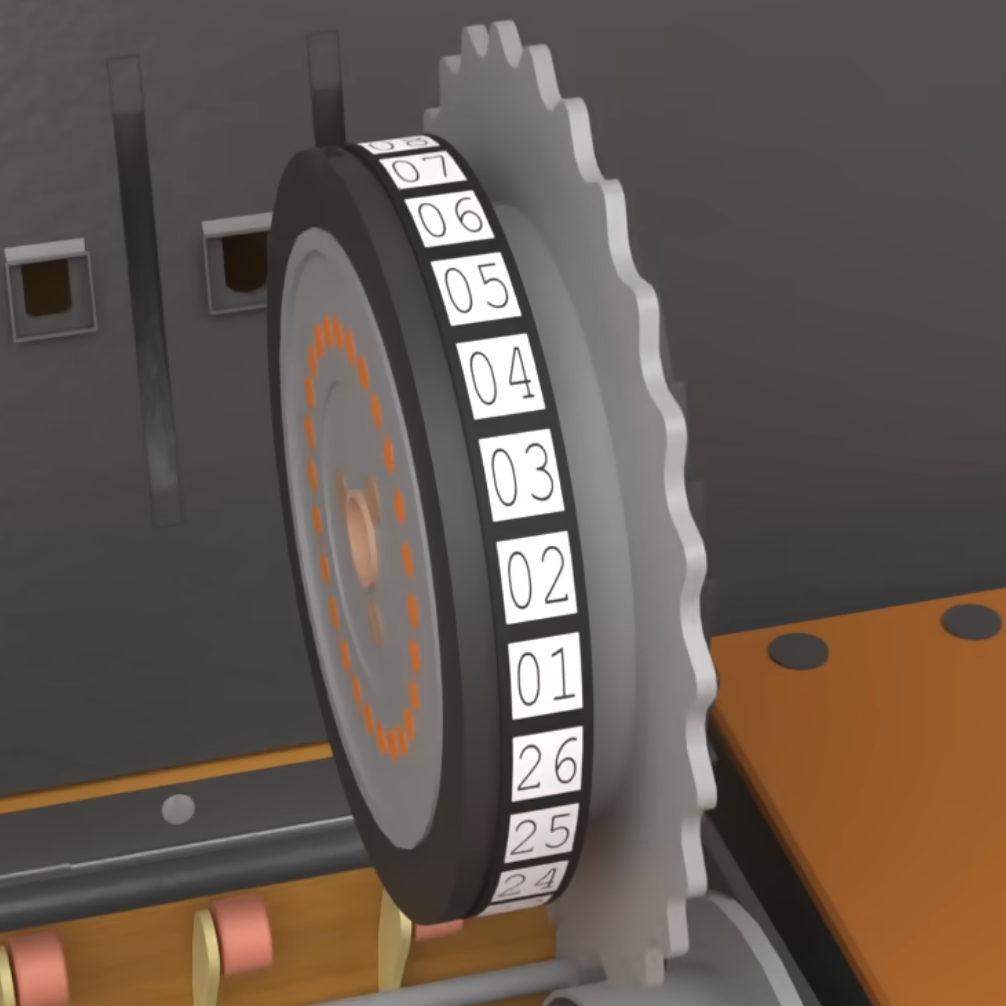
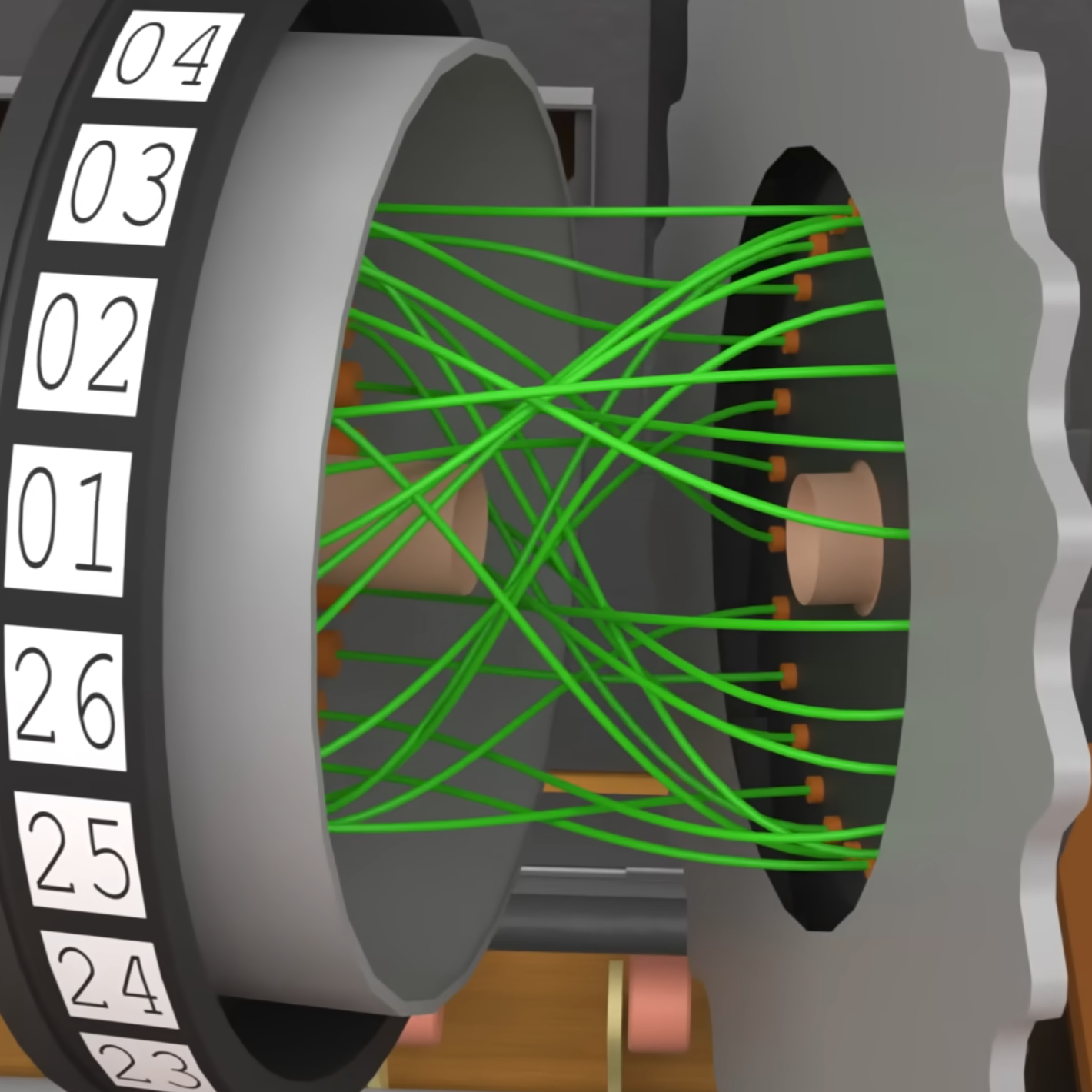
Once we knew a few directions we could go in based on Turing’s work, I started gathering reference photos of what he’s best known for; his work on the enigma machine.
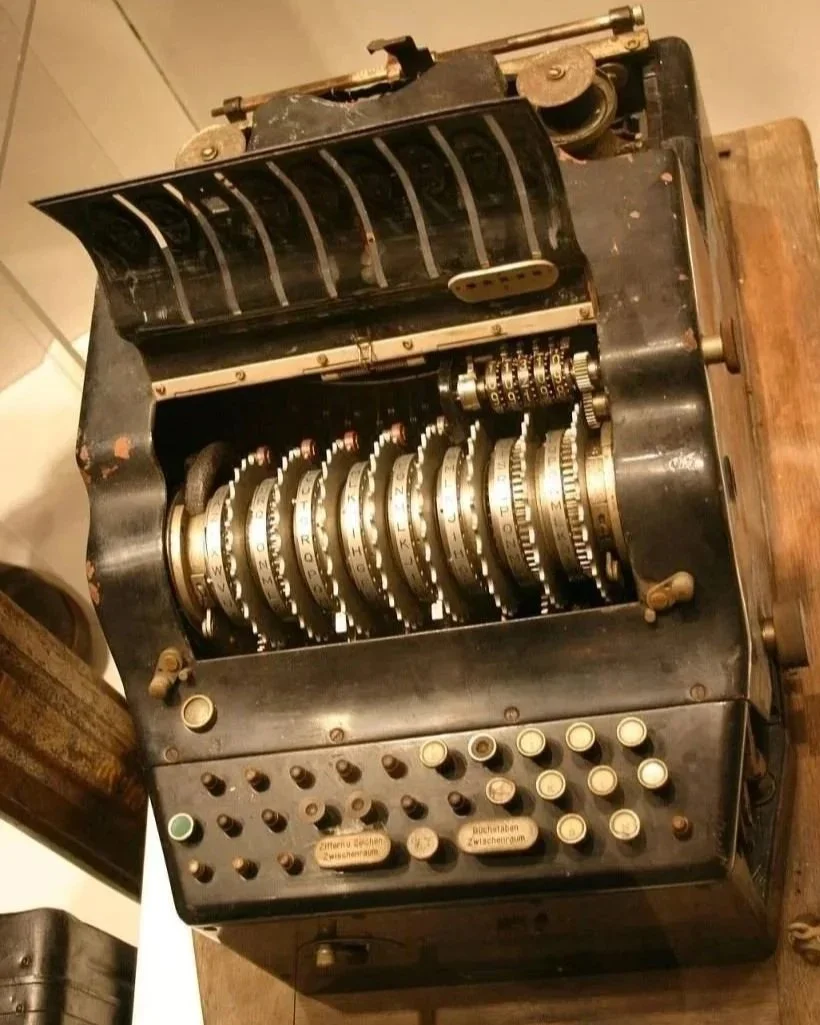
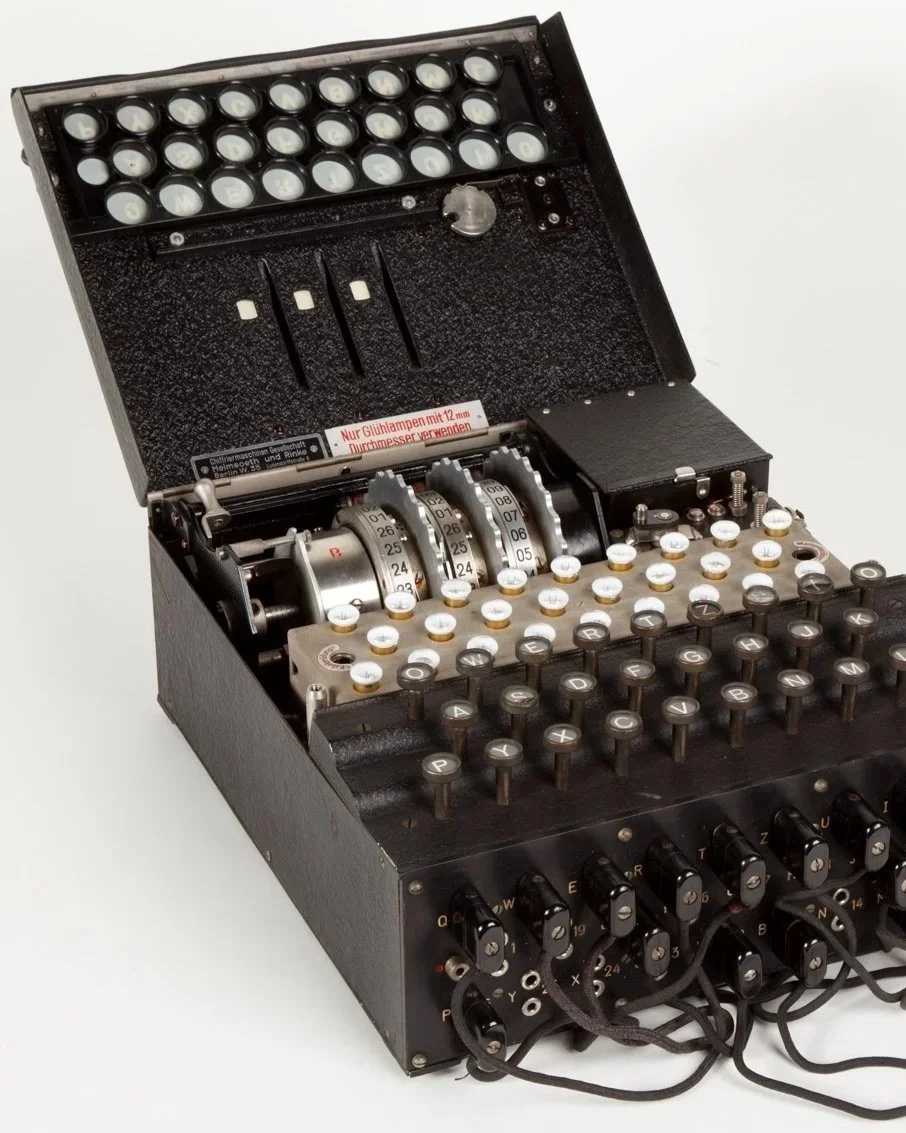
Enigma by itself is not the most visually compelling but I needed to know more about it so I could break it down and then build something back up.

An interesting article that gives some insight to how enigma works. I also found videos like this and this on youtube.

Obviously the visuals that explain how the machine works are more detailed, compared to what we ended up with.

Sketches and Drafts

Sketched and experimented with some different compositions and color ways. Also played around with how to make a simple subject of gears more visually interesting, including nods to Turing’s sexuality with rainbow light shining on the reflective metal.
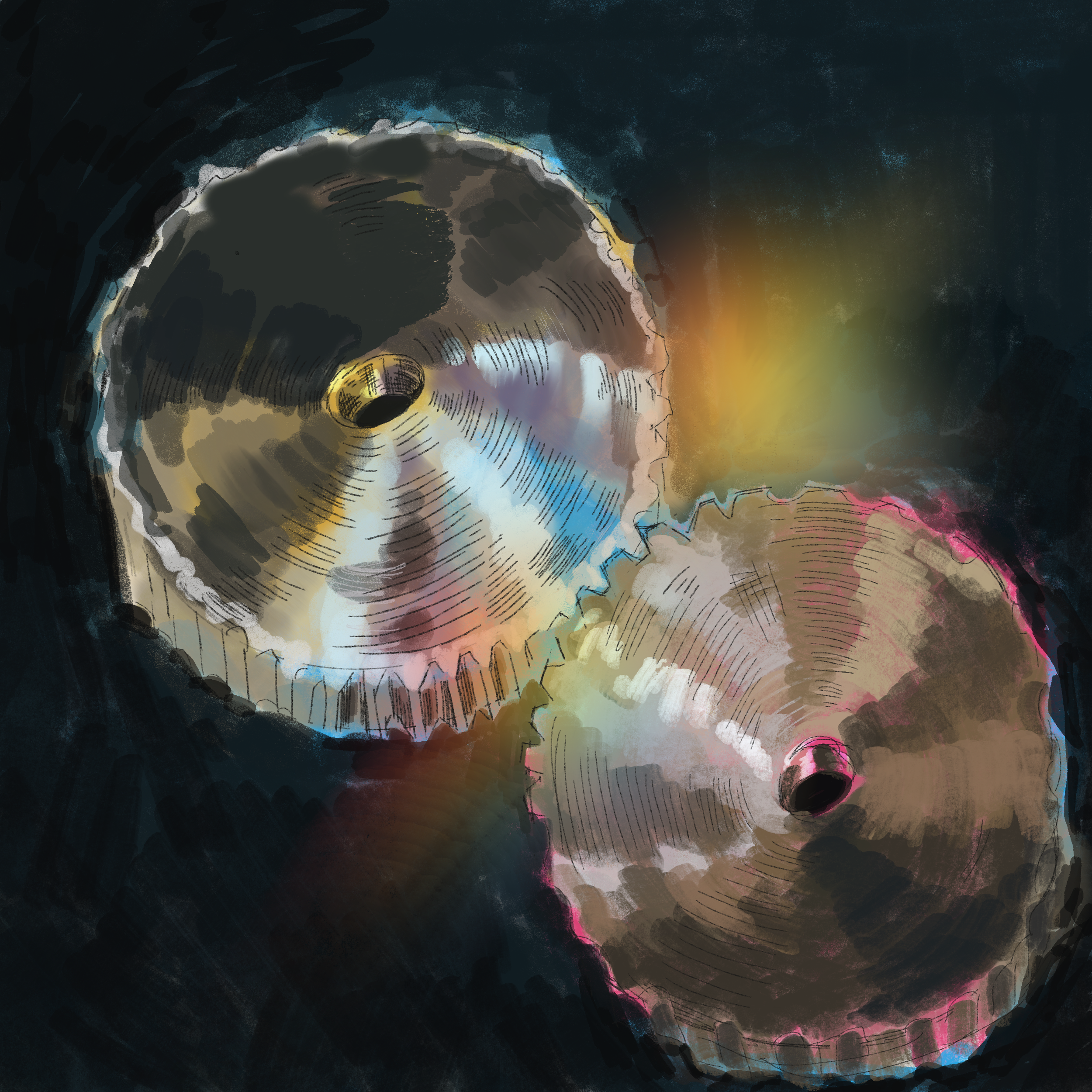
My first sketch in procreate to generate more ideas
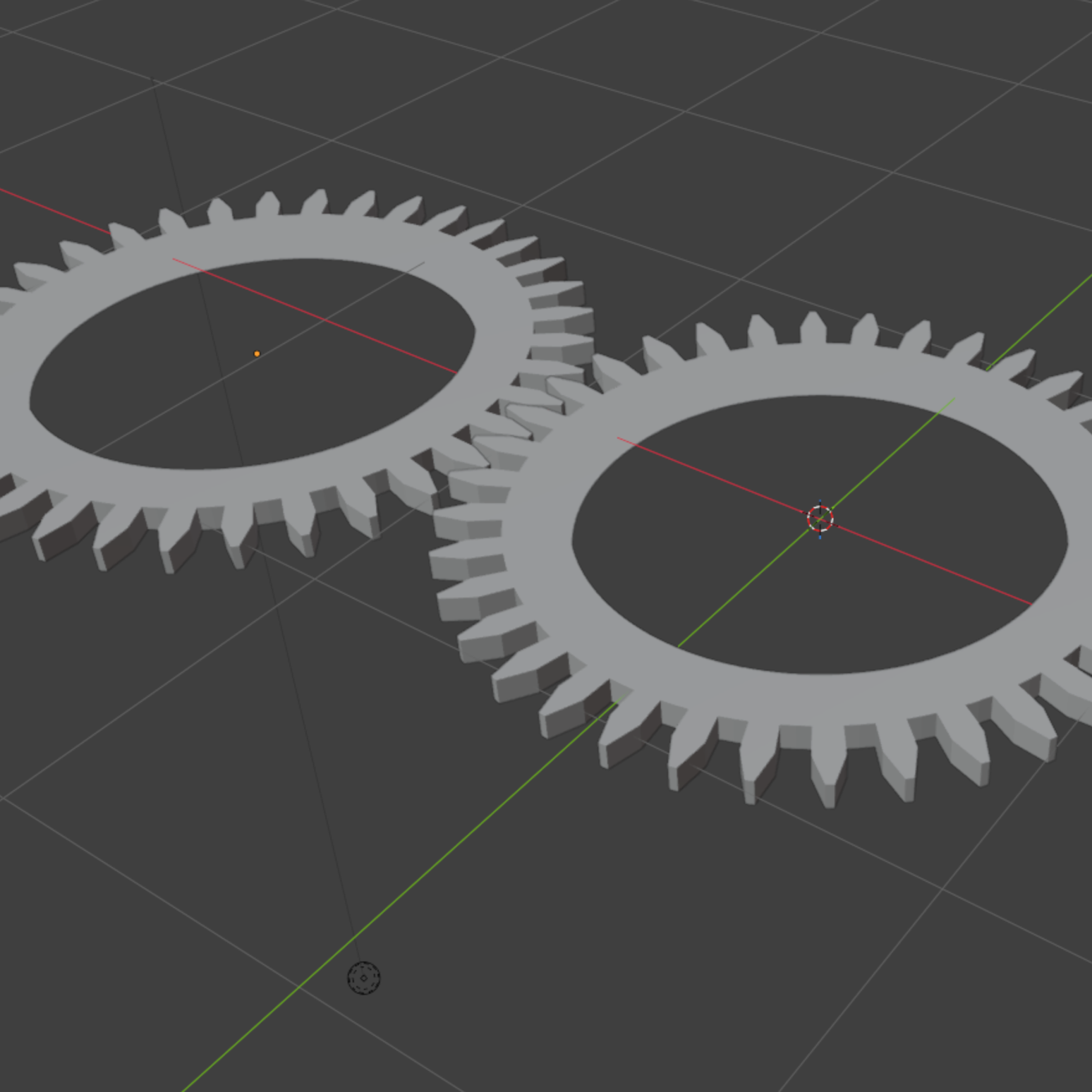
Figuring out how to render gears in Blender

Rough and Final Drafts
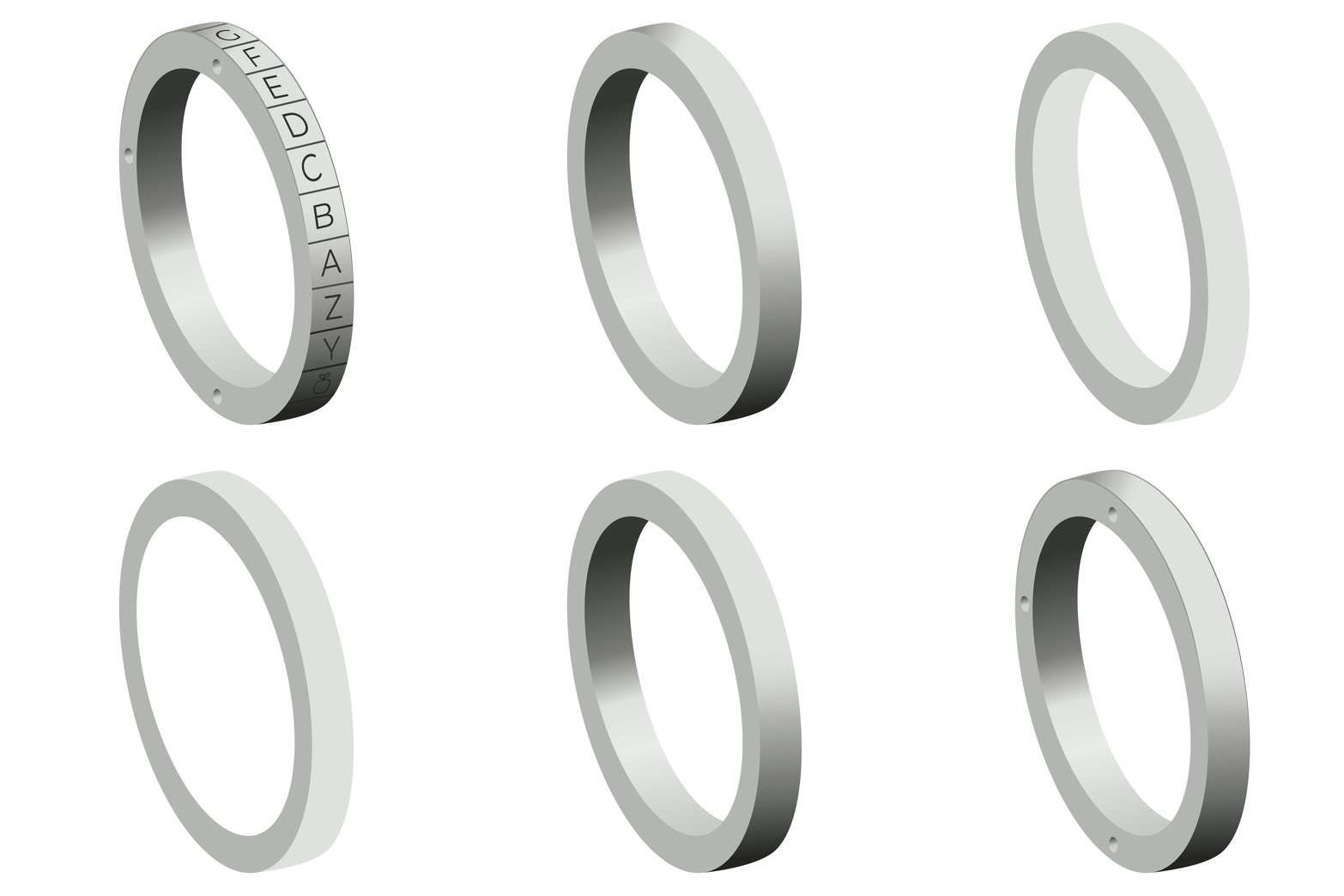
A gif that shows the separate layers of how I rendered the gears!

After gathering the references and research above, I felt like I could make gears accurate to the actual ones in the machine.

I started by simplifying the amount of elements to recreate. I eliminated the wires and decreased the amount of gears, to keep it from being too busy and distracting.

I played around with the roughs of the gears to figure out how they’d be spaced in the square composition.

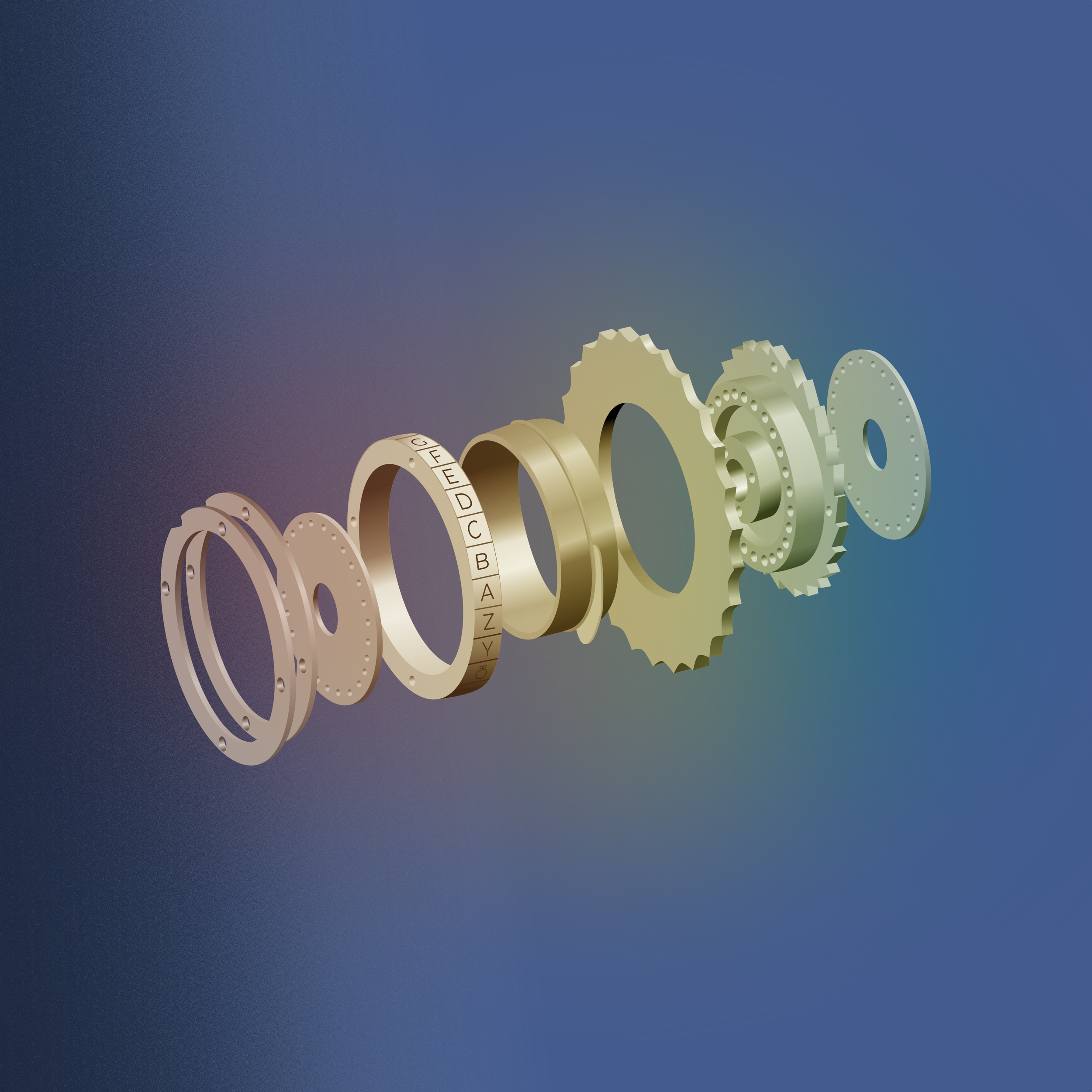
I decided to render the gears in grey-scale so I could make it easy to overlay different colors in the final drafts, and changed the numbers to letters to give a nod to Fedora.

While I would have loved to render this in Blender, I felt more confident that I could get the result I wanted with my skills in Inkscape. Plus who knows if my laptop would have had the power to render the size of the wallpaper 😆.

What Makes a Good Desktop Wallpaper (aka what I kept in mind when working on this)

✔️ High resolution

✔️ Clean composition

✔️ Simple details

✔️ Calming hues

The final rendered gears with a plain background below.
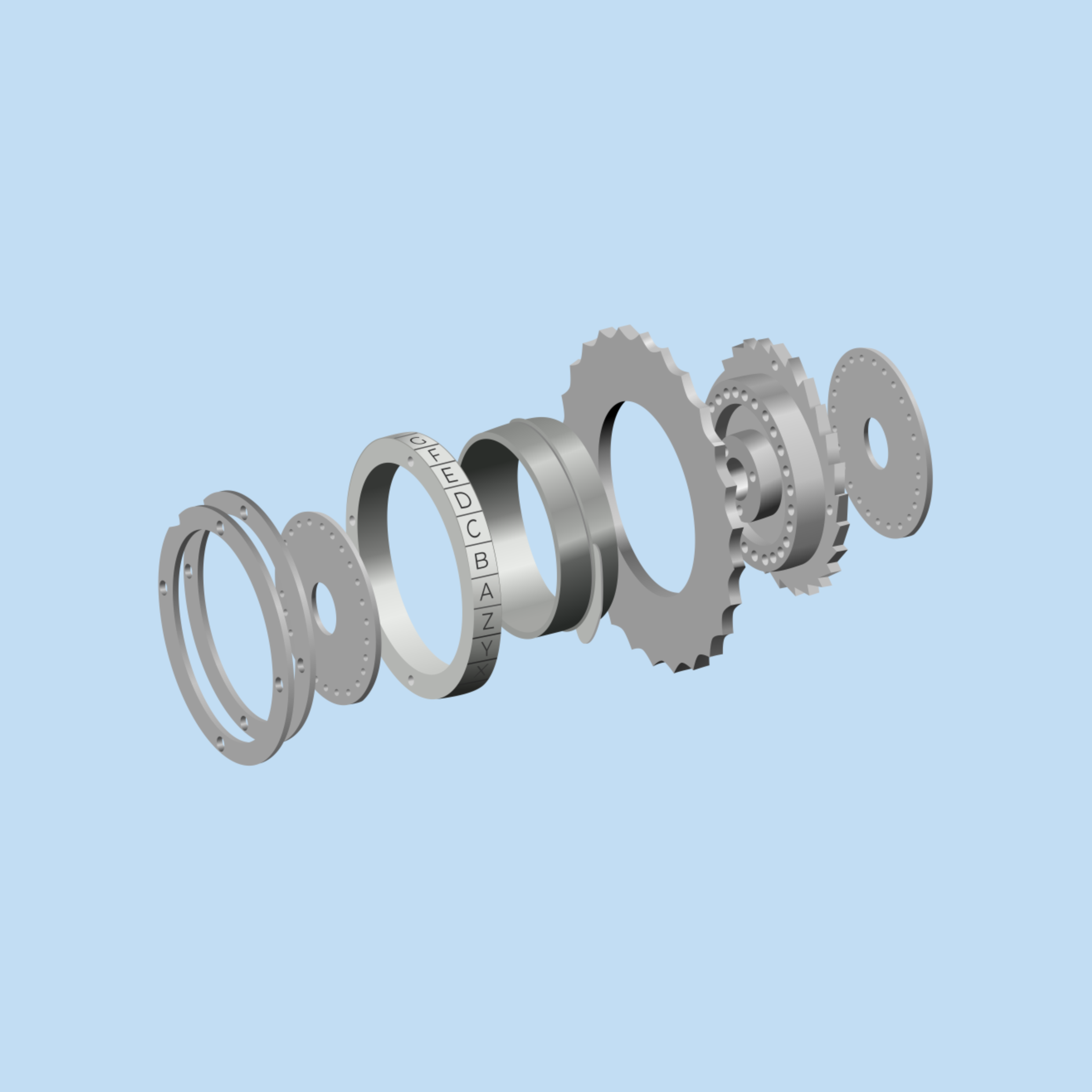
Changed the background color to a dark violet blue for the night version of the wallpaper. Added some overlays of texture and gradients which both added depth.

And with that the wallpaper was completed! The day wallpaper got a light color with the same gradient and texture, just in different colors and on the right side.

I hope this offers a thorough, understandable explanation of how this process went. Sharing the process of open-source design is really important and I hope you found it interesting! My job is to foster the development of the fedora wallpaper in a variety of ways. Whether that’s creating it myself, helping an impassioned community member stay on track making visuals, or combining my art with community member’s art, there’s so many ways the final wallpaper can end up!

If you want to get involved with the Fedora 46 Wallpaper, join us (here) on Forgejo!

Fedora 40 Wallpaper Talk!

The Fedora wallpaper is always on such a journey 😄. The last blog post I wrote specifically dedicated to the Fedora wallpaper is linked here if you’re interested in reading and getting a sense of what goes into it.

As I write this, Fedora 40 is live, and being the big four-zero the other design team members and I thought we should do something special. Instead of being inspired by a STEM person in history with an O last name we chose the word “Open” (conveniently starting with O as well!).

We always create a mind map to brainstorm different ways of interpreting the theme we could go with.

1. Open Outdoors

Slightly obvious with the open outdoors and the word “open”. But in the same way that open-source software is developed in a collaborative, public manner- nature works in a connected and collaborative way as well to create something bigger and better.

2. Trees

Trees have roots and branches that spread out and interconnect. Trees continue to grow, change, and distribute seeds, similarly to open-source code. Obviously, open source doesn’t distribute literal seeds, but seeds of knowledge are thrown into the community!

3. Open Windows to Nature

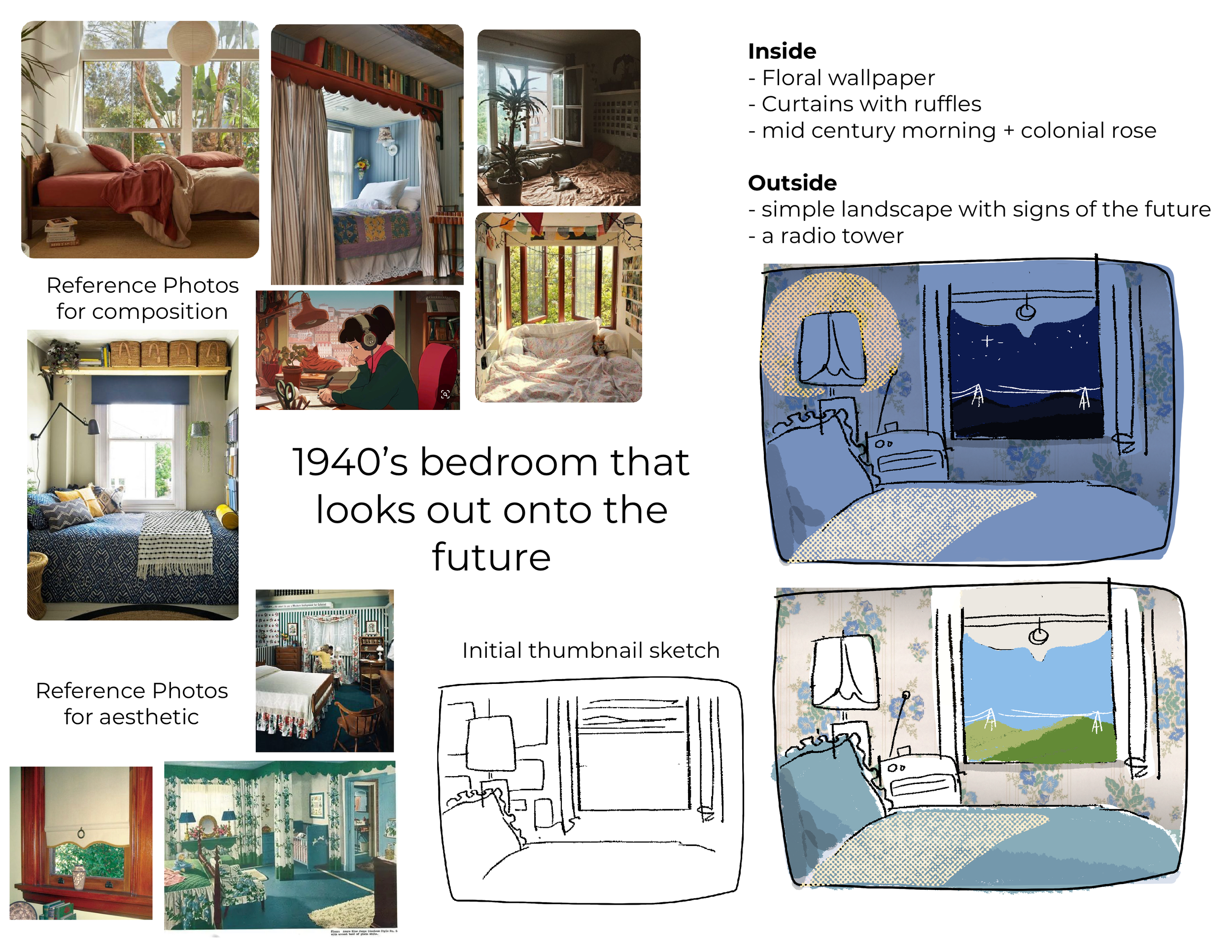
Having an inside window looking outside shows that we’re always looking towards something with an open mind. Inspired a bit like the Lo-Fi girl who sits next to a window, it would provide a very appealing wallpaper.

4. Open Path

Again, it’s a bit on the nose with “Open” but we wouldn’t want to illustrate a closed path haha, now would we? The possibilities are endless on a path though. In the same way, working together in an open-source way offers endless opportunities that closed-source software might not.

After we made the mind map I felt inspired to create the image below in Krita. It started as just playing around with different textured brushes and seeing what I was immediately drawn to. I then drew over what I had on a separate layer with a proper guideline.

An open path or river, up to the viewer’s interpretation, through the tree’s overlapping connecting branches.

Fedora 40 Day Wallpaper

Fedora 40 Night Wallpaper

This was intended to be just the beta wallpaper. As the creator of the piece, I didn’t think it looked finished, and there were details I wanted to add to make it perfect. Although there’s a phrase I try to live by in situations like, “Make it finished, not perfect.” And this was a finished wallpaper!

The Fedora wallpaper is not a project that is entirely on my shoulders though. It’s always a collaboration! As the deadline quickly approached we luckily had a few contributors who had some options for F40. Below are some of the first ideas and drafts from Yotam Guttman.

wip 1

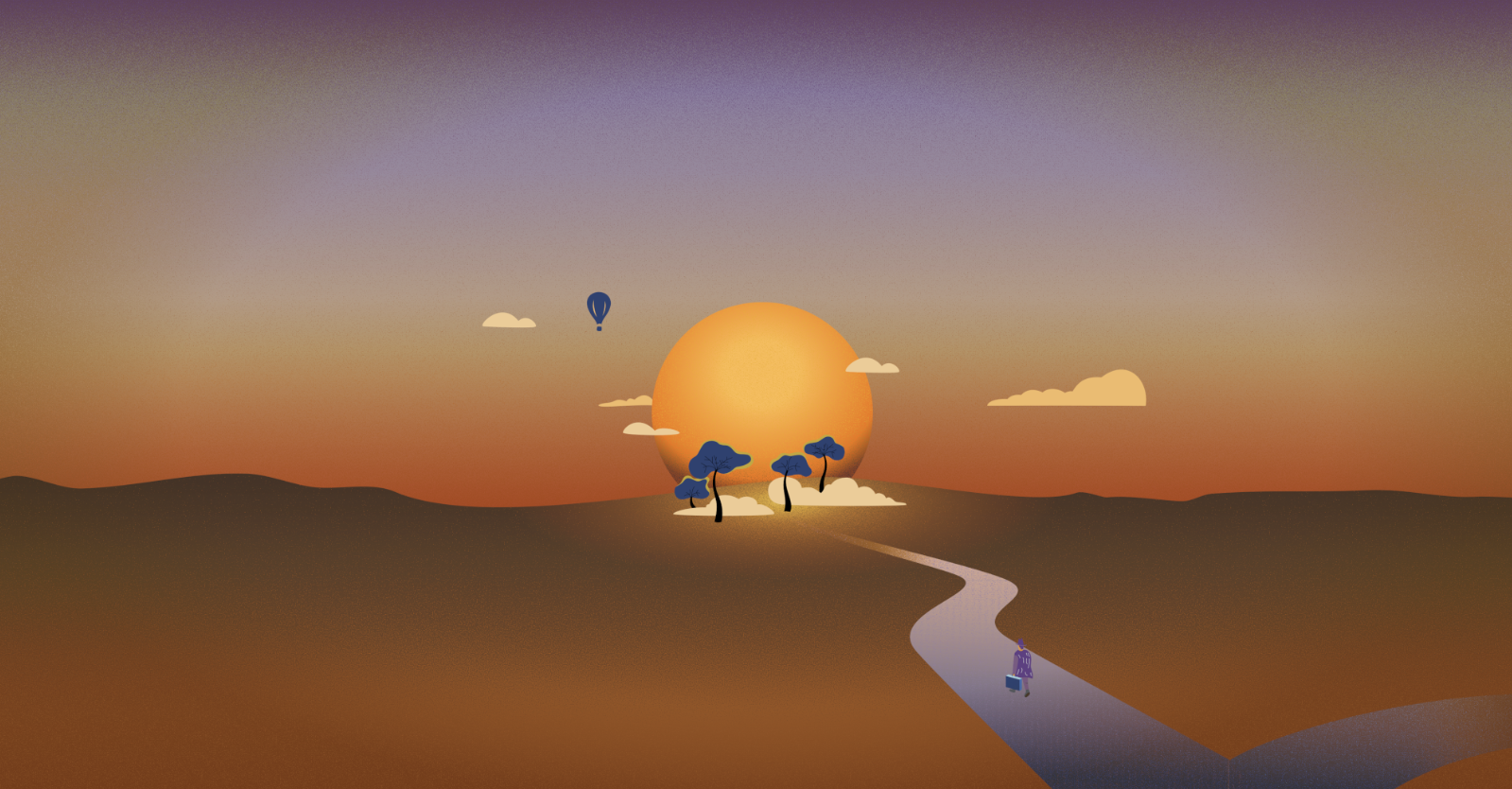
The orange and brown desert path version is the first draft of how we ended up with the images below! Yotam had so many different ideas and did an amazing job taking constructive criticism from the team and taking the first version to the last.

wip 2

wip 3

In the Fedora 40 ticket, you can see all the conversations and different versions.

The amazing Yotam Guttman created the images below in Inkscape as an option for F40!

Fedora 41 Day Wallpaper

Fedora 41 Night Wallpaper

The Design Team and I absolutely loved Yotam’s work and were set on using it for F40 but for various reasons, deadlines creeping up on us, it was easier to use the beta wallpaper as the final wallpaper. We have used the beta as the final wallpaper before and it isn’t a big deal. But we loved those art pieces above and really wanted to use them! So we are going to use them for the Fedora 41 Wallpaper!

What does this mean?

Well! The great thing is that we are now ahead of schedule for F41!

F41 would have been inspired by something starting with the letter P, and this piece of work has a beautiful P as in Path! We plan on using the finished versions designed by Yotam (you can see any small updates and documentation on the F41 ticket here) and are ready to start working on the F42 wallpaper!

This way we can have more flexibility for edits, and time between finishing the wallpaper and handing it over for the Final Freeze deadlines. In the future, with all the wallpapers we will be ahead of schedule from this development!

If you’re interested in contributing to the Fedora 42 wallpaper find out more at this ticket. Anyone is welcome and encouraged to engage and participate!

Fedora 36 Beta Update

The final F36 day and night beta wallpapers are here! Take a look below and let us know what your thoughts are!

Day version of the wallpaper download here


We last left off with the beta versions of the wallpaper that were created in Krita, which can be found here with their design process explained.

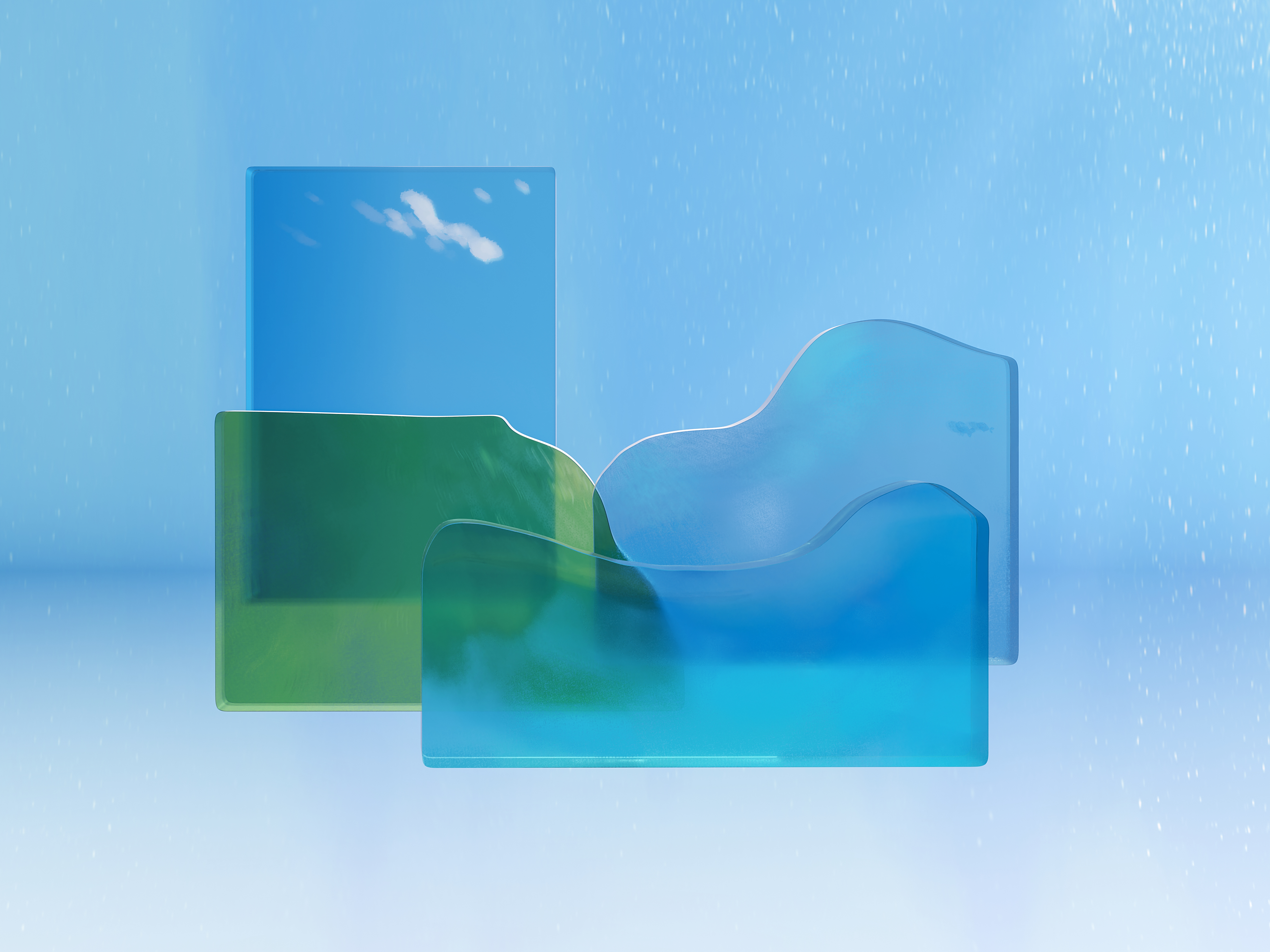
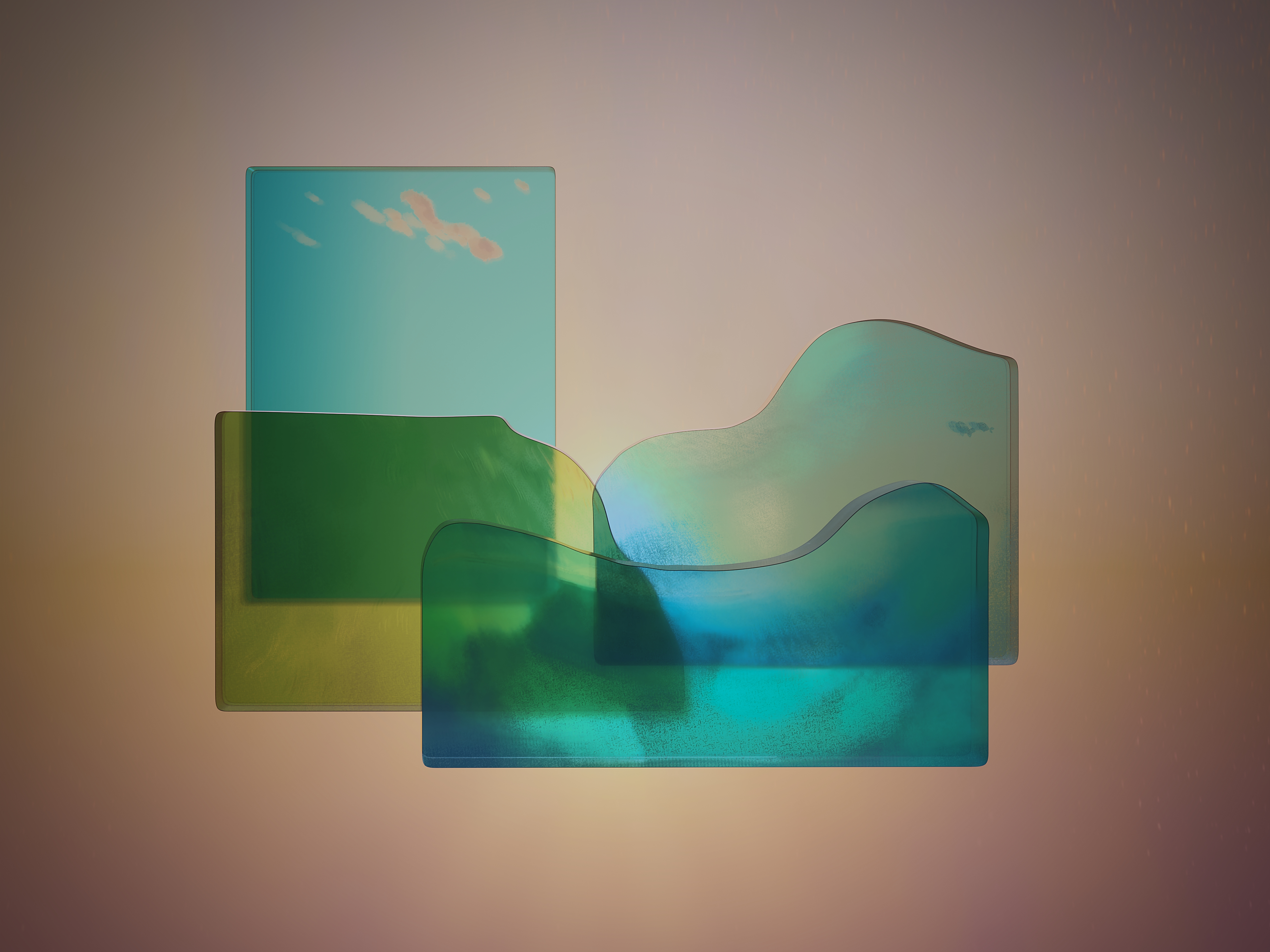
We received a lot of great feedback including suggestions for a strictly night version with the moon glowing instead of a sunset, adding butterflies to the day version, as well as shifting some of the clouds around so they didn’t stack and make the right side of the wallpaper too heavy. The previous version is below in Day, Sunset, and Night mode.

After the first beta wallpapers were completed we were able to start to play around in Blender. Máirín Duffy created the image below demonstrating the idea of the glass planes layered in front of each other with a light source.

Máirín then moved on to approximating something that resembled the previous versions.

Here are some of the tutorials she followed:

Creating the grass (just green hair particles. Couldn't use the texture they cite because the scale is off, blades of grass are the size of the trees, and couldn't figure out how to scale the texture) - https://www.youtube.com/watch?v=jOS9k6kqBsc

Creating the glass materials - https://www.youtube.com/watch?v=CtfNtpJa3hU

Creating the clouds - https://www.youtube.com/watch?v=lPAYX8z9i8M

She noted there were some issues,

”The grass looks horrible like green hair on a bald person! I had the material as a base green color and that stopped working.
I have a pretty nice, blue cloud off on the side. That could be duplicated to make the real clouds white. I colored it blue thinking I'd put it inside the front light blue water to make it look cloudy.
The middle blue glass does not shine through the front blue glass... it's as if it's not there. But the green mountain layer does shine through. I can't figure out why.
The lighting is a train wreck.”
- Máirín

Our blender expert Micah Dunn was able to start playing around and pulled the textures from the first beta versions in a simpler manner.

Experimenting with how thick the panes of glass should be.

The Fedora Design Team meets once a week and if you want you can watch the recording from March 9th’s recording here at the 16:30 minute mark.


Until this final version of the day wallpaper was produced!

The F36 default wallpaper in Fedora 36 uses a new feature called light/dark mode, where you can put your entire desktop into a light or dark mode and the wallpaper lightens or darkens to match the desktop UI.

You will need a build of Fedora 36 to test the wallpapers alongside this new functionality, but you can also just download and set the wallpapers from this blog post on any version of Fedora or any desktop to test them out as wallpapers.

If you are a beta tester for Fedora 36 or would like to test this wallpaper's light/dark functionality, the update with the new artwork is here: https://bodhi.fedoraproject.org/updates/FEDORA-2022-30419fe922

If you have the testing updates repository enabled on your system, you should be able to grab it by simply running 'sudo dnf update f36-backgrounds -y'

You can grab the latest Workstation ISO for F36 here: https://kojipkgs.fedoraproject.org/compose/36/latest-Fedora-36/compose/Workstation/x86_64/iso/Fedora-Workstation-Live-x86_64-36_Beta-1.4.iso

You can run this in a VM tool such as GNOME Boxes on Fedora, and once it is booted, open a terminal and run 'sudo dnf update f36-backgrounds -y'

Simply, you'll be able to install the update with the following command:

sudo dnf upgrade --enablerepo=updates-testing --advisory=FEDORA-2022-30419fe922

Leave your feedback here on fedoraproject.org.

Mid February Update

Well! The biggest update is the day and night versions have been finalized for the beta release of Fedora 36. Obviously we chose Deepika Kurup to inspire the wallpaper and had a mind map session as well as some thumbnails that steered us in the right direction.

We kept in mind the concepts we’d talked about at our first mind mapping session, Nature/Water Cycle, Transparency/Reflection, and Filter/Purification. Eventually we discussed an artist called Nobuhiro Nakanishi, who’s layered artwork uses rectangular glass plates to create immersive landscapes that form a wide landscape.

Mo proposed, “layered shaped glass textured landscape, maybe vertically taller than Cathedral Dusk to show layers of ocean or layers of soil beneath.”

I could draw the landscape’s textures to hand over to Micah who could take them into blender. Like an artist creating a fabric’s design, and handing over the finished fabric to someone who can drape it on the mannequin into an outfit.

I came up with the abstract landscape below based off the surrounding inspiring imagery. Each part of the landscape would be partially transparent pane and because it was digital, we could have clouds and parts that wouldn’t logistically make sense in the real world.

So where were we last week? I had the general landscape figured out, some of the trees blocked in with leaves texture, but the three blocks of land and water still needed attention and I was having a tough time rendering the clouds.

So I decided to just turn that layer off so I could hopefully come up with a better cloud rendering.

To create this landscape in Krita, I used a bunch of clipping layers. For example with the grass. I used the selection tool to draw a shape, used the bucket tool to fill it, and then you do ctrl shift g to create a clipping group folder. Once the clipping layer is on you can only draw on that shape. If you try to draw outside of the shape it won’t show up. And the beauty of it is you can have multiple clipping layers on an object.

Which is great because if you want to change an aspect of it later on, like the base color to be darker or a different color it won’t erase all your hard work painting the texture.

Instead of making cloud shapes with the bucket tool and painting within that shape- I decided to use a transparent brush to softly bring them to life and keep them lighter and loose.

The background clouds were the first ones I was happy with and once I added the fake light source in the back it started to pull a lot of the elements together. Having that common theme of a little yellow light was helpful.

Then Mo reminded me that it needed a different dimension so the canvas size had to be changed.

Lots of little changes went on in between these two images. Added the front clouds, the little fish, the rest of the trees, the leaves texture, and more detail in the grass.

For the night version, I thought about taking it into gimp but because I already had all the elements in individual folders I started off by just duplicating the file. And since most of them had masking layers I could either change the base color, like with the sky, or I could just add a blue tint over the whole part.

Each pane got different levels of blue to try and keep the levels of contrast. I moved the fish to imply they were swimming somewhere different now, as well as the clouds.

I’ve already gotten a great amount of feedback on both of these! Taking this night version, which is honestly more like a dusk version, and making the sun into the moon to take it full nighttime mode has been suggested. Moving the clouds on the right so it’s not such a heavy stack of clouds is going to happen.

And for the day version playing around with the blue sky, potentially adding butterflies or birds, and looking at the trees on the right to see if they work better as islands over the blue water instead of being enveloped by the wave.

I worked on a few other things but this was the majority of my past week so wanted to lay it all out :)